Product Description
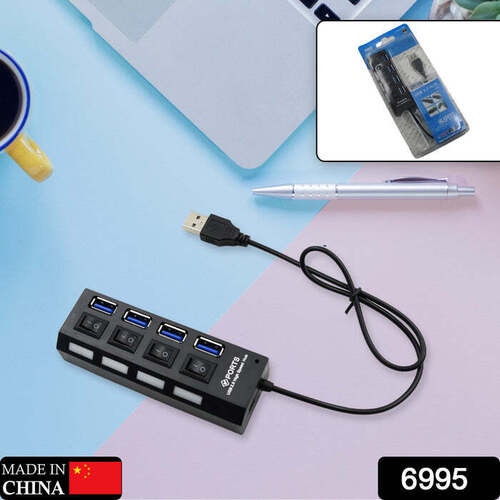
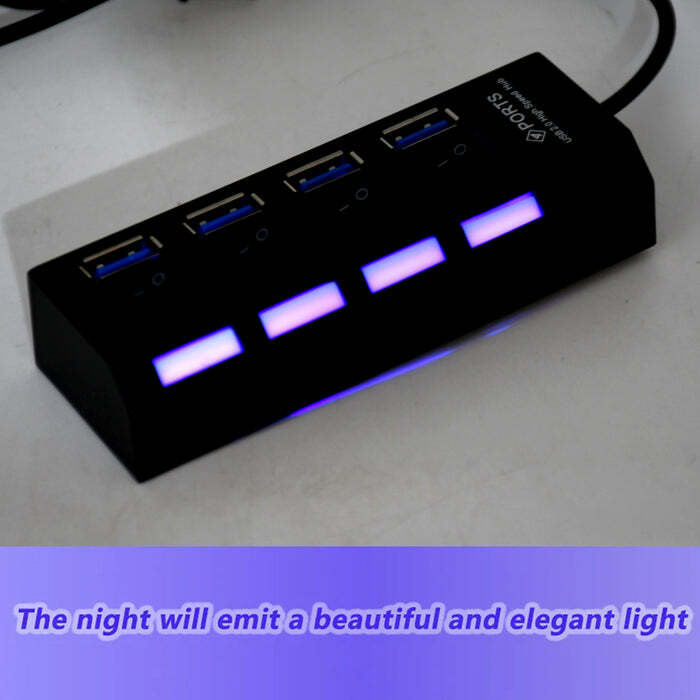
- ïExclusive designï Separate LEDs indicate power state for each port and Individual power switches help preserve battery life by allowing you to shut off whatever ports you don't need.
- ïWide Applicationï Plugging it into your computer, and then connect your mouse, keyboard, external hard drives, flash drives, printer, and so much more!
- ïEasy to Useï It's very easy to use, just plug and play. Light weight make it easy to carry and suitable for your travel, office, home and school.
- BATTERY LIFE: Individual power switches help preserve battery life by allowing you to shut off whatever ports you don't need.
- POWER STATUS: Separate LEDs indicate power status for each port and shows which USB port is in use at any given time
Dimension:-
Volu. Weight (Gm) :- 136Product Weight (Gm) :- 69Ship Weight (Gm) :- 136Length (Cm) :- 21Breadth (Cm) :- 10Height (Cm) :- 3Expand Your Connectivity EffortlesslyEasily connect up to four USB devices to your computer with this compact USB hub. Whether it's external storage, printers, or peripherals like a keyboard and mouse, this splitter creates more ports for simultaneous use. The bus-powered design means you can travel light-no external power source needed.
Seamless Compatibility Across DevicesDesigned for wide compatibility, this hub works flawlessly with Windows, Mac OS, and Linux operating systems. Simply plug it in-no drivers required-and add USB ports to your laptop, desktop, or notebook, regardless of the brand or model.
Fast, Reliable Data TransmissionBenefit from data speeds up to 480 Mbps, ensuring rapid transfer of large files or seamless performance for connected accessories. The USB 2.0 standard supports smooth transmission, making file sharing, printing, and device syncing easy and efficient.
FAQ's of 4 PORT USB, HUB USB 2.0 HUB SPLITTER:
Q: How do I install and use the 4 Port USB 2.0 Hub Splitter?
A: Simply plug the USB hub's Type-A (male) connector into your computer's USB port. No drivers are required-just connect your devices to the four available USB Type-A (female) ports and use them instantly.
Q: What types of devices are compatible with this USB hub?
A: This hub supports a wide range of devices, including keyboards, mice, flash drives, printers, and card readers. It works with laptops, desktops, and notebooks running Windows, Mac OS, or Linux.
Q: When should I use a USB hub like this?
A: Use this USB hub when your computer has limited USB ports or when you need to connect multiple peripherals simultaneously, such as in an office environment or during travel.
Q: Where is the ideal location to use this USB splitter?
A: Thanks to its compact and portable design, the hub can be used anywhere-from your home office to a mobile workspace or classroom. Its 15cm cable allows flexible placement next to your PC or laptop.
Q: What is the process for data transfer using this USB 2.0 hub?
A: Connect your peripherals or storage devices to the hub. With a data transfer rate of up to 480 Mbps, you can transfer files, print documents, or sync devices quickly across all four ports.
Q: Are there any benefits to using this bus-powered USB hub?
A: Yes, being bus-powered means the hub draws power directly from your computer, eliminating the need for external power. It also supports hot swap, allowing you to connect or disconnect devices without restarting your computer.
Q: Is this USB hub water resistant or does it require any special maintenance?
A: The 4 Port USB 2.0 Hub is not water resistant. It is best used in dry environments and requires no special maintenance aside from keeping it free from dust and moisture.
 08037735088
 9:00 AM to 7:00 PM


 Send Inquiry





 Send Inquiry